

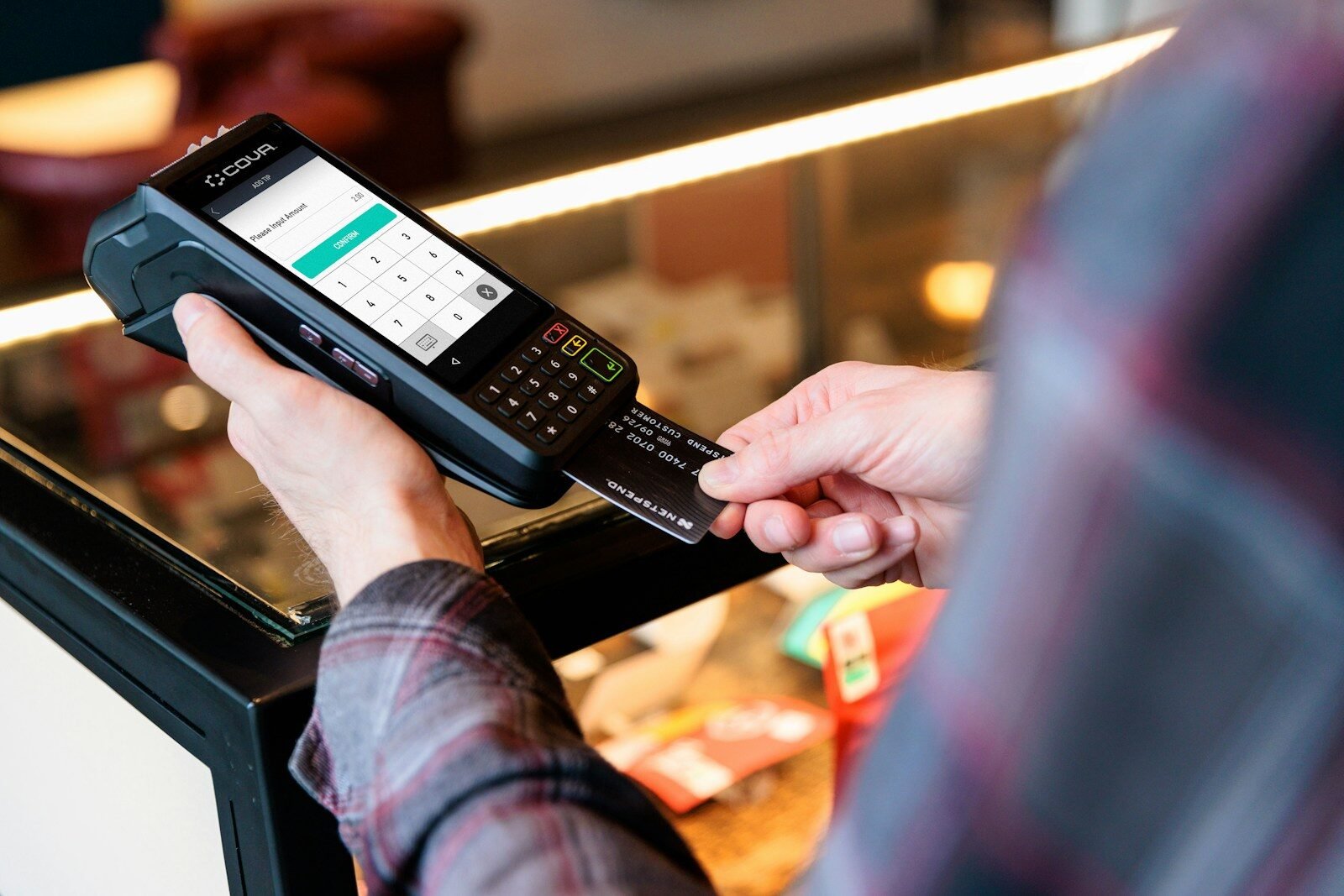
A merchant processing calls: how transactions are handled step by step guide explains what happens behind the scenes when a customer pays with a card, mobile wallet, or online payment method. Although the process looks instant to the user, multiple systems communicate in seconds to verify, approve, and settle the transaction.
This guide breaks down the full payment flow in simple terms, covering key players, technical steps, and how merchant processing actually works in real time.
What Is Merchant Processing?
Merchant processing refers to the system that enables businesses to accept electronic payments such as:
- Credit cards
- Debit cards
- Digital wallets (Apple Pay, Google Pay)
- Online payment gateways
It involves communication between banks, payment networks, and processors to move money securely.
Expert insight:
A single card transaction may pass through 4–6 different systems before it is approved.
Key Players in Merchant Processing
Understanding the process starts with knowing the participants.
1. Cardholder
The customer making the payment.
2. Merchant
The business accepting the payment.
3. Payment gateway
The digital bridge between customer and merchant systems (mainly for online payments).
4. Payment processor
Handles transaction routing between banks and networks.
5. Issuing bank
The customer’s bank that issued the card.
6. Acquiring bank (merchant bank)
The merchant’s bank that receives funds.
Step-by-Step Merchant Processing Flow
Step 1: Customer initiates payment
The process begins when a customer:
- Swipes a card
- Taps a contactless payment
- Enters card details online
What happens:
Payment data is captured securely and encrypted immediately.
Step 2: Transaction request is sent
The merchant’s system sends the transaction request to the payment processor or gateway.
Includes:
- Card details (tokenized or encrypted)
- Amount
- Merchant ID
- Transaction type
Step 3: Payment gateway forwards data
For online transactions, the payment gateway:
- Encrypts data
- Routes it to the payment processor
- Ensures security compliance
Expert insight:
Gateways do not store money they only transmit secure payment information.
Step 4: Payment processor routes the request
The processor sends the transaction to the appropriate card network.
Examples:
- Visa
- Mastercard
- American Express
Step 5: Card network routes to issuing bank
The card network forwards the request to the customer’s bank.
The issuing bank checks:
- Available balance or credit limit
- Fraud detection signals
- Card validity
- Account status
Step 6: Authorization decision
The issuing bank makes a decision:
Possible outcomes:
- Approved
- Declined
- Referred for review
Step 7: Response sent back
The decision travels back through the same path:
Issuing bank → card network → processor → merchant system
Step 8: Transaction approval displayed
The merchant receives confirmation.
Customer sees:
- “Payment approved” or receipt confirmation
Step 9: Batch settlement begins
At the end of the business day:
- Merchants send all approved transactions in a batch
- Payment processor groups transactions
Step 10: Funds transfer process
Flow:
Issuing bank → card network → acquiring bank → merchant account
Timing:
- Usually 1–3 business days
Step 11: Merchant receives funds
Final settlement is deposited into the merchant’s account after fees are deducted.
Types of Merchant Processing Systems
1. Traditional POS systems
Used in physical stores.
Features:
- Card terminals
- Swipe/tap/chip support
2. Online payment gateways
Used for e-commerce websites.
Examples:
- Stripe
- PayPal
- Square
3. Mobile payment systems
Used via apps or mobile devices.
Fees in Merchant Processing
Each transaction typically includes fees.
Common fees:
- Interchange fee (to issuing bank)
- Processor fee
- Network fee
- Merchant service fee
Expert insight:
Fees vary based on card type, risk level, and transaction volume.
Security in Merchant Processing
Security is a major part of every transaction.
1. Encryption
Protects data during transmission.
2. Tokenization
Replaces card details with random tokens.
3. PCI compliance
Standards that merchants must follow to protect card data.
4. Fraud detection systems
AI-based systems monitor suspicious activity.
Insider tip:
Most modern systems use real-time fraud scoring before approving transactions.
Common Transaction Issues
1. Declined transactions
Caused by:
- Insufficient funds
- Fraud alerts
- Expired card
2. Delayed settlements
Caused by:
- Bank processing delays
- Weekends or holidays
3. Gateway errors
Technical issues in online payment routing.
Advantages of Merchant Processing Systems
1. Fast transactions
Payments are approved in seconds.
2. Global acceptance
Businesses can accept international payments.
3. Secure processing
Multiple layers of security protect data.
4. Automated settlements
Reduces manual accounting work.
Challenges for Merchants
1. Processing fees
Can impact profit margins.
2. Chargebacks
Customers can dispute transactions.
3. Technical dependency
System downtime affects sales.
Insider Tips for Businesses
- Choose a processor with transparent fee structures
- Monitor chargeback rates regularly
- Use fraud detection tools for online sales
- Optimize checkout speed to reduce cart abandonment
- Compare settlement times before selecting providers
Future of Merchant Processing calls
Payment systems are evolving rapidly.
Trends:
- Real-time payments
- AI-based fraud prevention
- Cryptocurrency integration (limited but growing)
- Contactless and mobile-first payments
Final Thoughts
A merchant processing calls: how transactions are handled step by step process shows how complex systems work together behind a simple card payment. From authorization to settlement, each step ensures security, accuracy, and speed.
While customers see only a “payment approved” message, behind the scenes multiple networks, banks, and processors collaborate in seconds. Understanding this system helps businesses choose better payment solutions and optimize their financial operations.